Food & recipes
Couldn't load this preview. Press play to try again.
Viral Video Maker tracks what is going viral in your niche on TikTok and automatically remixes it into finished, ready-to-post videos — with your angle, your length and your quality. On demand or on a schedule; you download and post.


A recipe. A reveal. A great first six seconds.
Find the angle that makes you want to create.
12-second previews. Sound off.
Couldn't load this preview. Press play to try again.
Couldn't load this preview. Press play to try again.
Couldn't load this preview. Press play to try again.
Couldn't load this preview. Press play to try again.
Couldn't load this preview. Press play to try again.
Couldn't load this preview. Press play to try again.
Couldn't load this preview. Press play to try again.
Couldn't load this preview. Press play to try again.
Creator inspiration from TikTok, including sponsored clips. These are not videos generated by Viral Video Maker.
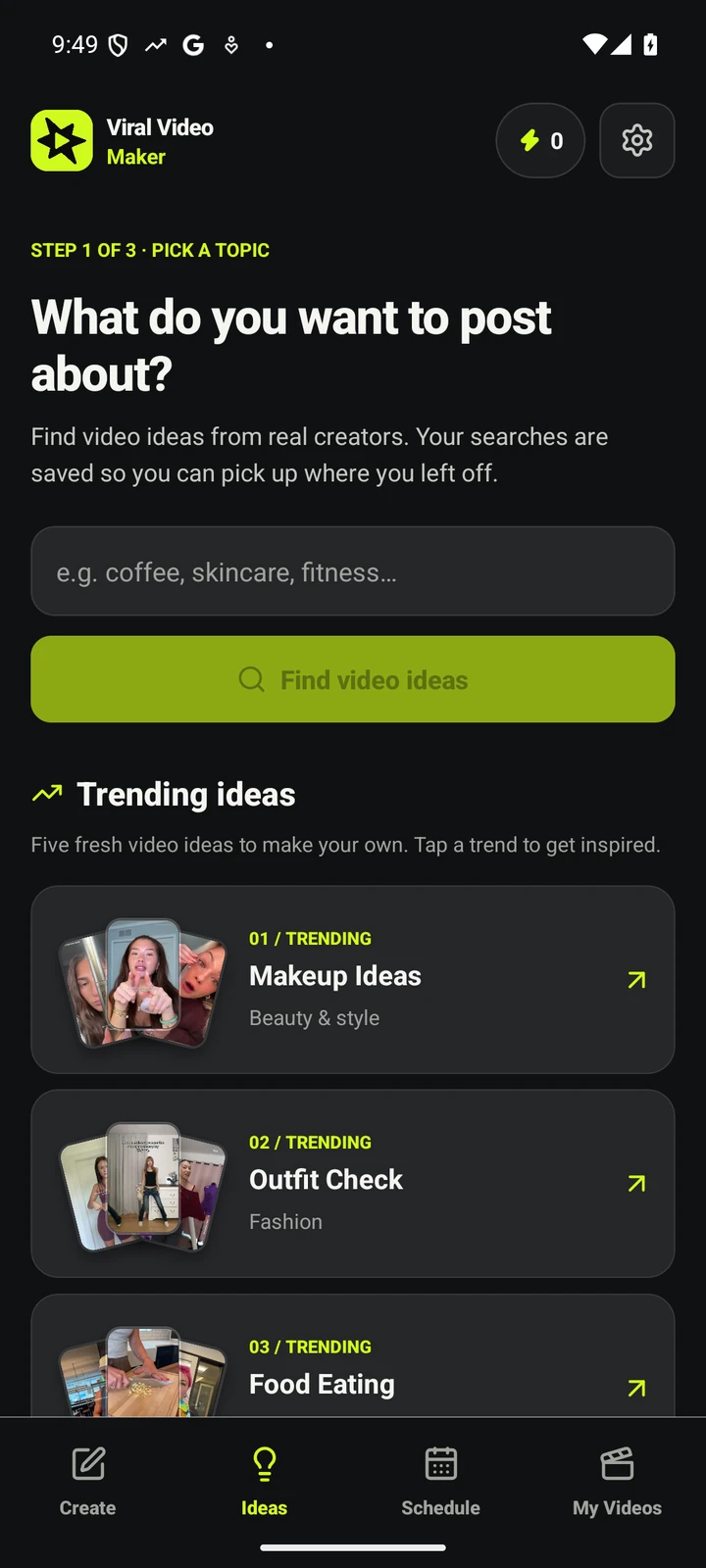
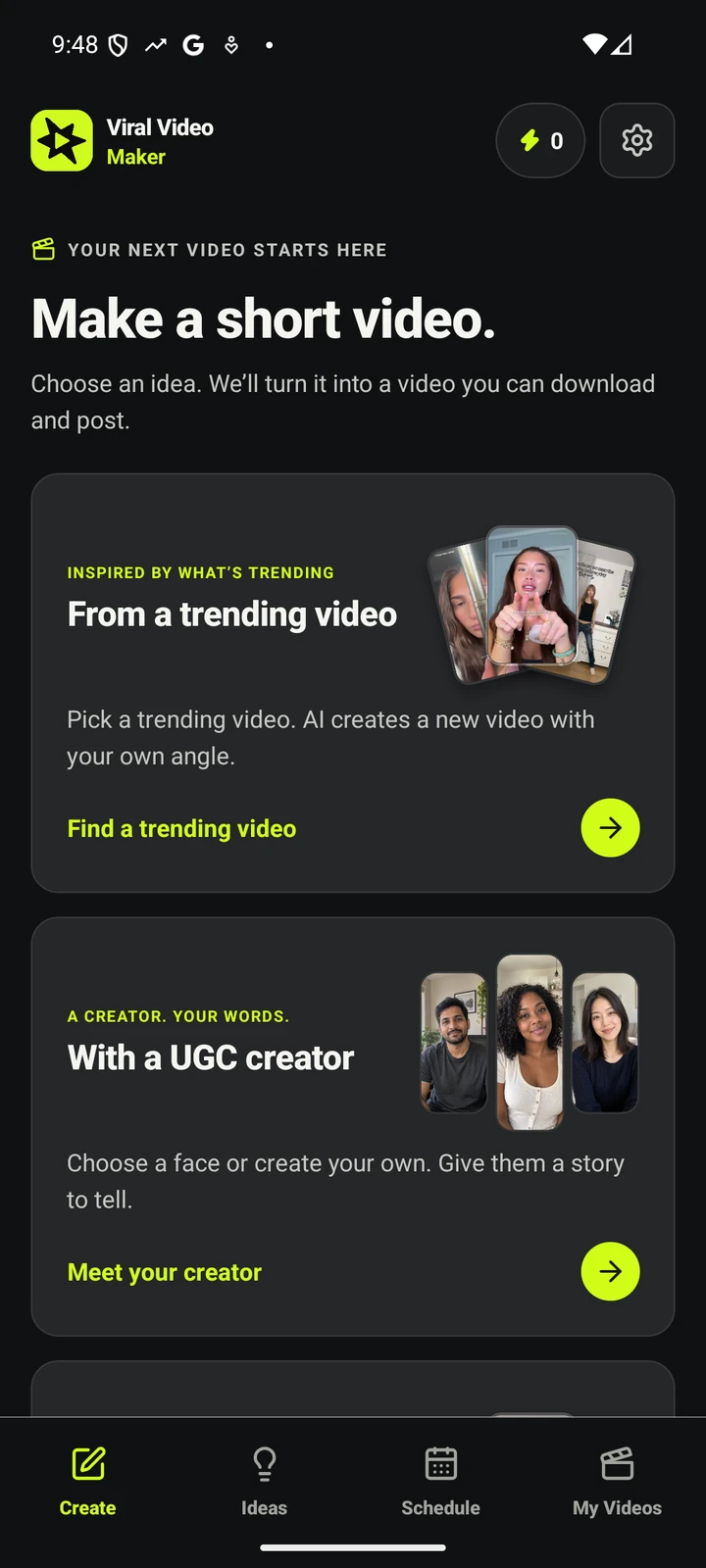
Start with something that inspires you. Make a new video with your own point of view.
Open your niche and see what is rising right now — live TikTok trend data and real creator videos. Save the searches you want to come back to, or start with an idea of your own. How discovery works →
Describe your take, add reference images, and choose the length, quality and shape. Review the credit cost before creating your new AI video.
Set a schedule to keep new videos coming. Find your finished videos together, ready to download and post. Pause any time.
Not template scripts, not a dashboard that ends at the chart: live niche trends, automatically remixed into ready-to-post videos.
Demand, momentum and content-gap signals from TikTok's public surfaces for your niche, refreshed every 6 hours — and each trend becomes a finished video in the same app. Trend tools stop at the chart; AI video makers wait for you to bring the idea. See what's trending in your niche →
Every viral source is used exactly once. Your content stays original.
All six scenes are generated together so characters, lighting and style match across the whole video.
Each trend keeps a saved prompt and your images — every video sounds like you without re-typing anything.
Install and browse trends immediately. Subscriptions use your device’s app store. Restore purchases from Settings.
Pick 10–60 seconds per video. Per 10 seconds: 480p = 1 credit, 720p = 2. That's the whole pricing model.
Making a video costs credits and plans start at $19 a month; there is no free video. Everything else stays open, and these are the lines exactly as the app draws them.
Nothing is stamped on your video. The file you download is the file we rendered, at the resolution you chose.
10 to 60 seconds, 480p or 720p, 9:16, 1:1 or 16:9 on every plan. A longer or sharper video costs more credits, not a higher tier.
Featured trends and one tracked niche are free, with no account, email or password. That stays free if you never subscribe.
Finished videos stay in your library and downloadable after you cancel. Unused credits roll over for one month and stay spendable.
There are no top-ups or overage fees. If credits run out, scheduled videos wait for your next allowance; nothing is billed beyond the subscription.
Subscriptions run through the App Store or Google Play, so you cancel there like any other app. Restore purchases from Settings on a new phone.
The lines exactly as the app and the store listings draw them. For anything else, support covers purchases, availability and contact.
Plans start at $19 a month. Making a video costs credits: for every 10 seconds of video, 480p costs 1 credit and 720p costs 2 credits. There are no top-ups or overage fees — if credits run out, scheduled videos simply wait for your next allowance. See plans & pricing →
Browsing trends is free forever: featured trends and one tracked niche are free with no account, email or password. There is no free generated video — making a video requires a paid plan.
No. Install the app and browse trends immediately, with no sign-up. Subscriptions run through your device's app store, and you can restore purchases from Settings.
No. Nothing is stamped on your video. The file you download is the file that was rendered, at the resolution you chose.
It tracks demand, momentum and content-gap signals from TikTok's public surfaces for your niche, refreshed every 6 hours, and turns each trend into a finished video in the same app. How discovery works →
Finished videos stay in your library and remain downloadable after you cancel. Unused credits roll over for one month and stay spendable. Subscriptions are cancelled in the App Store or Google Play, where they were bought.

We track what's going viral in your niche — you get the finished videos. Plans from $19/month. Browsing trends is free, forever.